Layout Settings
Evolve theme provides many settings which help you control your site very easily. By access to Appearance → Settings → Evolve you can see settings as below:
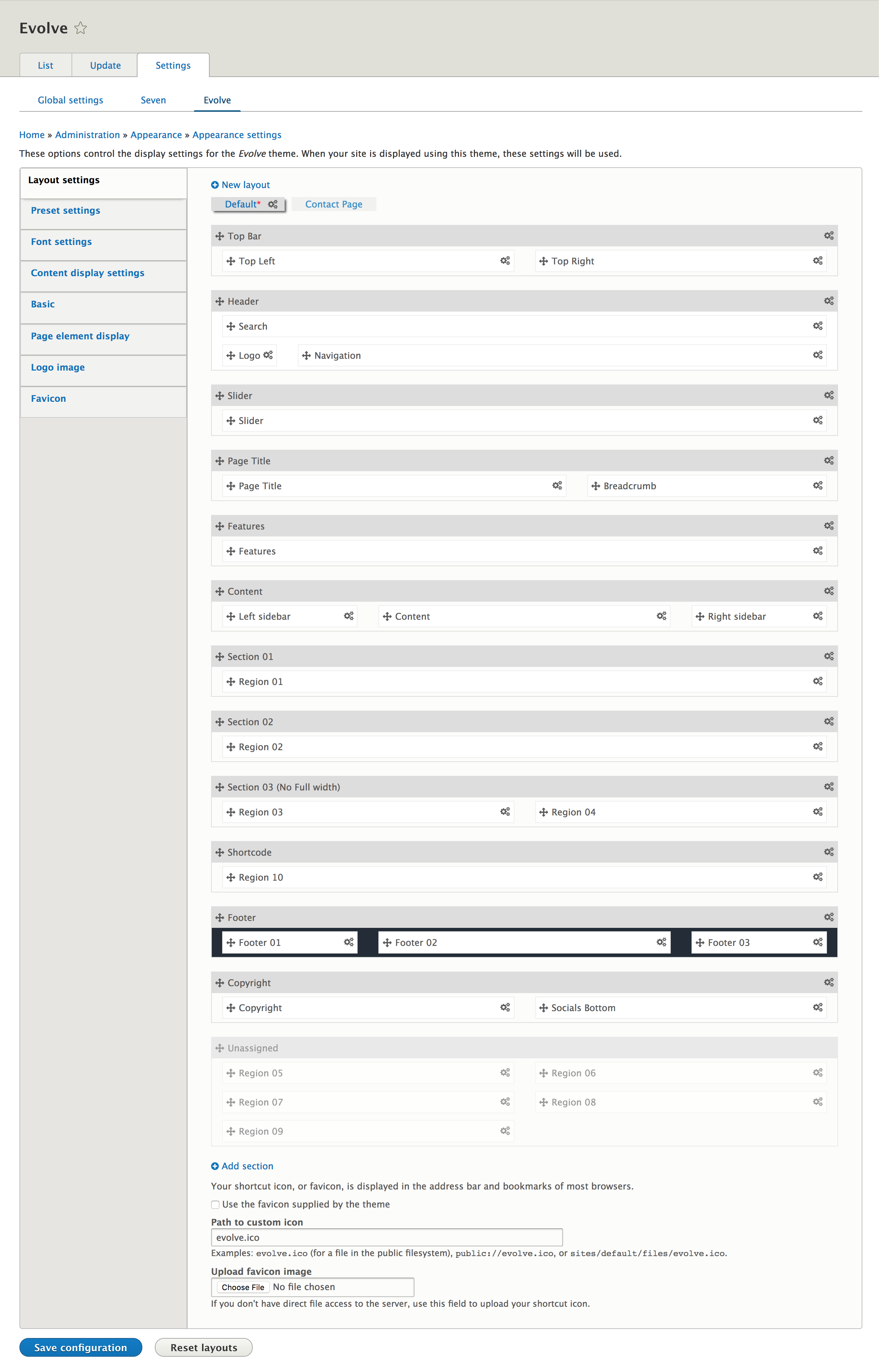
Top Bar, Header, Page Title... with gray background called sections. Elements in each of section and unassigned area called regions.
Using this framework you can move to change the order of sections and regions, set the widths of individual block regions or remove from the site layout.
Evolve theme can be easily expanded by custom the layout such as
Add a new layout
In the theme, you can build unlimited layouts. To create a new layout, click on Add layout link, the system will create a copy of Default layout that.
You can customize on this layout to get layout which you like by
- Adding/Removing sections, regions.
- Changing the order of them.
Clone a layout
To clone a layout, click on the name of layout which you want to duplicate. After that, click on clone icon to create a duplicate of layout was chosen.
To clone a layout, click on the name of layout which you want to duplicate. After that, click on clone icon to create a duplicate of layout was chosen.
Remove a layout
To remove a layout, click on the name of the layout which you want to clone (except default layout). After that, click on delete icon to remove this layout from the theme.
Assign content to layout
DrupalExp framework is support multiple layouts. Each layout, you can assign for what page will be use. Click on "gear" icon right of layout's name to show layout settings form, then add your page url to assign. like what we did with block assignment.
